Kaupify guides
Spreadsheet or Accounting Software for a Small Business
Where a spreadsheet works well and where it quietly costs you time What dedicated accounting software adds: invoices, receipts, reconciliation and the monthly overview How to switch without disrupting your current bookkeeping
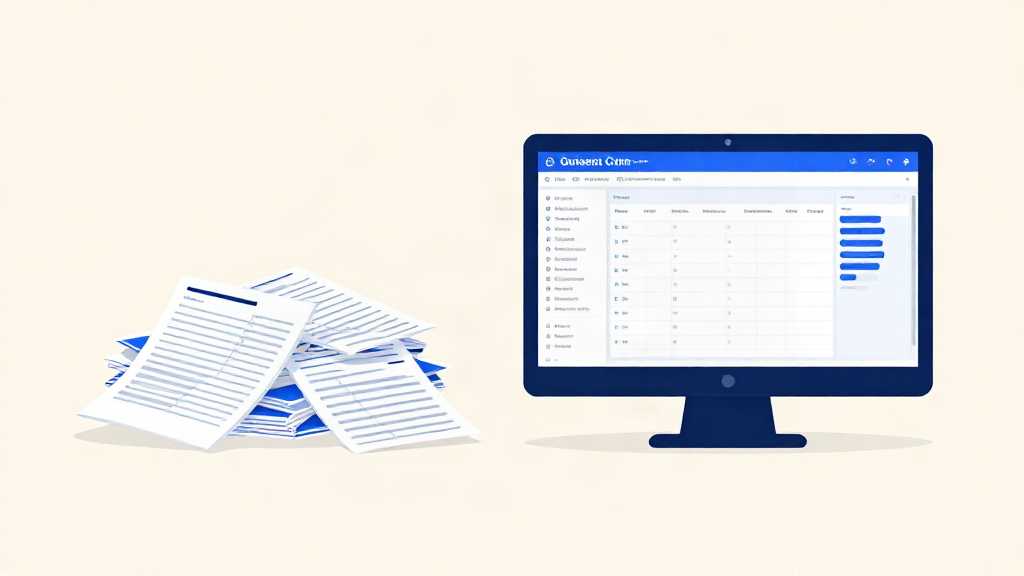
Most small Danish businesses do not choose a spreadsheet so much as drift into one. It starts as a simple list of invoices sent and payments received. Then a colleague adds a column for receipts. Then VAT needs its own tab, and by the time you look up, your bookkeeping lives in three files with two versions of the truth.
None of that makes the spreadsheet a bad tool. It makes it a tool that was never built for this job. This article sets out where a spreadsheet works well, where it quietly costs you time, and how to move to proper accounting software without turning your bookkeeping upside down.
Why so many small businesses start with a spreadsheet
A spreadsheet can be inexpensive, familiar, and available the moment you need it. For a tradesperson invoicing a handful of customers or a shopkeeper tracking the week's takings, it does the job with no learning curve and no subscription.
It is also the path of least resistance. Nobody hands you a manual when you register a company. You open a file, type some headings, and carry on with the actual work.
Where a spreadsheet works well
Credit where it is due. A spreadsheet is genuinely good at:
- Simple, short lists. A handful of invoices a month, tracked by hand, is not a problem worth solving with software.
- One-off calculations. A quick quote, a price comparison, a what-if on your margins.
- Flexibility. You can add a column for anything in seconds, no setup required.
- Cost. If your turnover is small and steady, the price is hard to beat.
A spreadsheet can be workable for simple records if your business is outside Denmark's digital-bookkeeping requirements and you still meet its record-keeping duties. Businesses required to file annual reports generally need a compliant digital system. From 2026, this also covers personally owned businesses whose net turnover exceeded DKK 300,000 in each of the previous two income years. Check which rules apply before deciding to stay with a spreadsheet.
Where a spreadsheet quietly costs you time
The trouble with a spreadsheet is not the big failures. It is the small, repeated ones that never show up on an invoice.
Invoices and follow-up
Without suitable formulas and a review routine, a spreadsheet will not reliably flag overdue invoices. You have to check the dates and keep track of who needs a reminder. Every unpaid invoice is a quiet loan you are making to a customer, so a reliable follow-up routine matters.
Receipts and bills
Receipts arrive as photos, email attachments, and slips in a jacket pocket. Unless you link and organise the supporting files, receipts can become rows that are difficult to trace. When the accountant asks for proof of a purchase, you may have to go hunting.
Reconciliation
Did that DKK 4,250 payment land against the right invoice? With a bank statement in one place and a spreadsheet in another, you compare by eye. It works until it does not, and then you spend a Sunday afternoon finding out why the totals disagree.
The monthly overview
At the end of the month you want one number: how did we do? A spreadsheet gives you that only if every row is correct, every category is consistent, and nobody typed a date as text by accident. One broken formula and the picture is wrong in a way that is easy to miss.
VAT and deadlines
Danish VAT reporting runs on its own clock, and a spreadsheet has no idea it is coming. The result can be a scramble before each VAT deadline, with the figures rebuilt from scratch rather than already sitting in one place.
What dedicated accounting software adds
Accounting software takes the same jobs and connects them.
- Invoices are sent, tracked, and chased as invoices, not rows.
- Bills and receipts are stored with the numbers that belong to them, so the document is never far from the amount.
- Reconciliation tools help you compare bank transactions with invoices and bills; review the matches and resolve differences.
- The monthly view is a page you open, not a sum you check. Income, costs, and what is left are already worked out.
- VAT is calculated from the same records, so the VAT return is a review rather than a rebuild.
This is exactly the gap Kaupify is built for: invoices, bills, receipts, and payments reconciled in one place, with a clear monthly view in plain language. It keeps everyday accounting in a single set of records, and it can grow with you into point of sale, stock and purchasing, time and your team, and your webshop when you need them.
The honest trade-off is a small amount of setup time and a monthly cost. The return is the hours you stop spending retyping, hunting, and reconciling by hand.
How to switch without disrupting your bookkeeping
You do not need to move everything on a Monday morning. A calm sequence works better.
- Pick a clean start date. The first day of a month or quarter is easiest, so the old and new systems do not overlap.
- Bring your opening balances across. Your accountant can confirm what you start with, so the new records begin from a known position.
- Move the open invoices first. Get what you are owed into the new system, since that is the money you need to collect.
- Import or enter your customers and suppliers once. After that, invoicing becomes a couple of clicks rather than a copy-and-paste.
- Import a CSV bank statement and review transactions against your invoices and bills. Automatic feeds require separate provider setup and depend on your bank and region.
- Run both in parallel for one month if it makes you comfortable. Check that the totals match, then let the spreadsheet go.
Most businesses find the switch quieter than they feared, because the hard part was never the software. It was the scattered records.
A simple way to decide
Ask yourself three questions.
- Do I ever chase an overdue invoice by memory? If yes, invoicing software may save follow-up time.
- Would it take me more than a few minutes to prove what a payment was for? If yes, receipts and reconciliation belong together.
- Does month-end feel like a rebuild? If yes, a shared monthly view removes the scramble.
If you answered yes to any of these, accounting software may help. If you answered no to all three and your business is outside Denmark's digital-bookkeeping requirement, a spreadsheet may remain workable.
Either way, the goal is the same: your business, in clear view. The question is only whether the tool you started with is still the tool that gets you there.
Getting started
Kaupify is built for small Danish businesses that want invoices, expenses, and accounts in one place, without the jargon. If you are weighing up whether to leave the spreadsheet behind, book a demo to see the relevant tools and discuss availability before you commit.